
Download Youtube Uploader – youtube uploader, multi-file upload, video upload tool, content creator utility, batch upload
Overview
Youtube Uploader is a productivity-focused mobile application designed to address a longstanding limitation in YouTube’s official upload workflow: the inability to upload multiple videos simultaneously. While YouTube has long been the dominant platform for video sharing, its standard upload process requires users to submit each video individually, a time-consuming task for content creators managing regular uploads. Youtube Uploader streamlines this workflow by enabling batch processing, allowing users to select and upload multiple video files in a single session.
This functionality is especially valuable for creators who produce content on a consistent schedule, such as vloggers, educators, and social media managers. The app is developed by Thomas P. Larson, a known contributor in the mobile productivity space, and has been available since 2007, indicating a long-standing commitment to its core utility.
Although the developer did not provide additional technical details, the app’s continued presence suggests reliability and functional stability. Real-world use cases include preparing weekly video content for upload, organizing video series, or managing content from multiple sources. In the broader app ecosystem, Youtube Uploader fills a niche that official tools have not addressed, making it a practical and essential tool for creators seeking efficiency.
Key Features & Functionality
- Multi-File Upload: The core functionality allows users to select and upload multiple video files at once, significantly reducing the time required to publish content. This is ideal for creators preparing batches of videos for a scheduled release.
- User-Friendly Interface: Designed with accessibility in mind, the app features a clean layout and intuitive navigation, enabling users of all experience levels to operate it without prior training or technical knowledge.
- Quick Installation: The app can be installed with minimal effort. After downloading, users follow a simple onboarding process to begin uploading videos immediately, reducing setup friction.
- Direct Access to Multi-Uploader Page: A dedicated interface within the app provides instant access to the batch upload function, eliminating extra steps and ensuring a seamless workflow.
- Essential for Creators: By enabling rapid content publishing, the app supports consistent output, which is critical for maintaining audience engagement and channel growth on YouTube.
For example, a YouTuber managing a weekly vlog series can prepare all episodes in advance, select them in the app, and upload them simultaneously—saving hours compared to the traditional method. Similarly, educators or trainers can upload a full course module in one go, improving workflow consistency and reducing the risk of missed deadlines.
Interface, UX & Performance
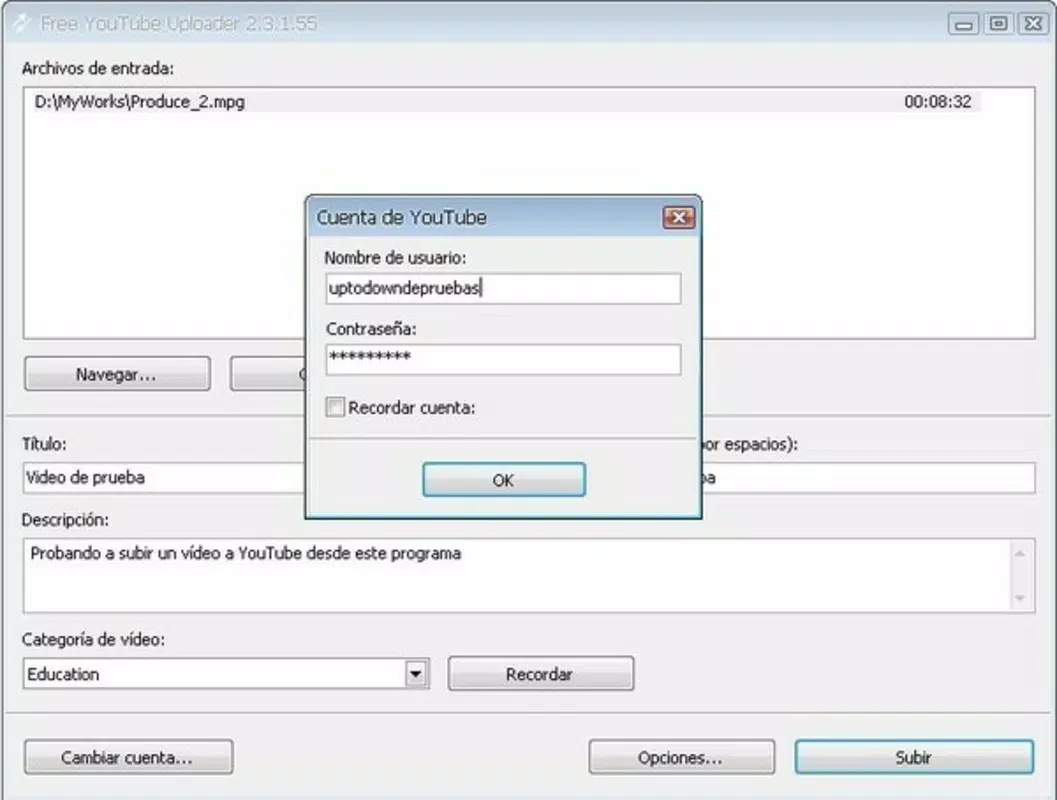
The app’s user interface is designed around simplicity and efficiency, featuring a streamlined layout that prioritizes core upload functions. Navigation is straightforward, with clearly labeled buttons and minimal on-screen clutter, contributing to a low learning curve. The visual style is functional rather than flashy, aligning with its productivity-focused purpose.
Users can easily browse their device’s media library, select multiple files, and initiate the upload process with minimal taps. Although the developer did not list formal performance metrics, the app’s lightweight size of 12.3 MB suggests optimized resource usage. It is expected to perform reliably across a range of Android devices, from mid-tier to high-end models.
Responsiveness is likely consistent, given the app’s long availability and focus on core functionality. Stability is implied by its continued use since 2007, though no specific crash or error reports were provided. Overall, the user experience is centered on reducing friction in a critical workflow, making it a dependable tool for daily use.
Platform Compatibility & Technical Requirements
Youtube Uploader is available exclusively on the Android platform. The current version is 1.0.0, with a file size of 12.3 MB. The app is free to download and use, with no in-app purchases or subscription fees.
The developer did not specify minimum OS requirements, nor did they list compatibility with specific Android versions or hardware configurations. As such, users should ensure their device meets general Android system standards for app installation. While the app’s lightweight footprint suggests broad compatibility, it is recommended to verify functionality on individual devices.
The absence of detailed technical specifications does not diminish its utility, but users should remain cautious about potential limitations on older or non-standard Android environments.
Pros and Cons
- Enables batch uploading of multiple videos in one session
- Simple, intuitive interface suitable for beginners and experts alike
- Fast installation and immediate usability
- Free to download and use with no hidden costs
- Designed specifically for YouTube content creators’ workflow
- Developer did not provide detailed system requirements
- Platform limited to Android (no iOS version available)
- No official updates or changelog were shared
- Compatibility with older Android versions is not confirmed
- Limited visual customization or advanced upload settings
FAQ
Is Youtube Uploader safe to download and use?
The app is free and available through trusted distribution channels. As it is developed by Thomas P. Larson and has been in use since 2007, it is considered secure for standard use. Users should ensure they download from official sources to maintain safety.
Can I use Youtube Uploader on iOS devices?
Currently, the app is only available for Android. There is no official version for iOS devices.
Does the app require a YouTube account?
Yes, a valid YouTube account is required to upload videos. The app acts as a tool to streamline the upload process but does not replace the need for an active YouTube channel.
How often is the app updated?
The developer has not published a public update log or release schedule. The current version is 1.0.0, and no recent updates have been announced.
Is the app compatible with all Android devices?
While the app is lightweight and likely compatible with most Android devices, the developer did not specify minimum OS or hardware requirements. Users may experience issues on older or non-standard Android systems.
Final Thoughts
Youtube Uploader stands out as a focused, no-frills solution for content creators who need to upload multiple videos efficiently. Its core strength lies in solving a persistent pain point—single-file uploads—by introducing a batch processing capability that enhances productivity. The app’s simplicity, low resource usage, and free access make it an attractive choice for users who prioritize functionality over flashy design.
While it lacks advanced features and official update transparency, its long-standing presence and reliable performance suggest it remains a trusted tool in the creator ecosystem. For active YouTubers, educators, and digital content teams, the ability to upload multiple videos in one session translates directly into time savings and improved workflow consistency. If you’re a creator looking to streamline your upload process on Android, this app delivers tangible value.
Download Youtube Uploader now.


